Room Calibration
Room calibration is a system-level application provided by YVR to ensure the precise alignment of virtual objects with the physical environment. Through room calibration, the realism and stability of the virtual reality program can be improved to provide users with a more interactive and immersive experience. Users can calibrate the walls, doors, windows, tables, chairs, sofas and other objects in the real room through the room calibration application. Developers can obtain user-created calibration data via the SDK and use it in their own apps.
Requirement
- Device Model: YVR2
- System Version: DreamOS 1.2.9 and above
- SDK Version: 2.7.0 and above
Note
Room calibration is only supported for 64-bit applications. Before using this feature, under Edit > Project Settings > Platform > Android > Build, make sure to check Support arm64 and uncheck Support armv7.
Enable Spatial Anchor Feature
Follow the steps to enable spatial anchors in your project:
In the upper left corner of the editor, select Edit > Project Settings > Plugins > YVR XR.
Move to the MR tab and check Anchor Support Enabled.
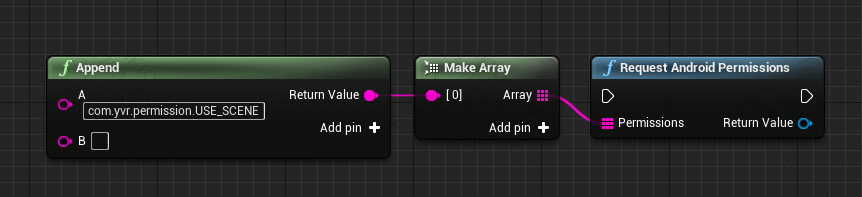
Developers need to apply for calibration data permissions before calling the room calibration related APIs.
Launch Space Setup Tool for Calibration
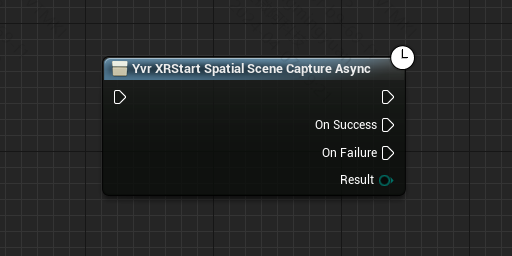
Use YvrXR Start Spatial Scene Capture Async to evoke the space setup tool for space calibration. This API is asynchronous and needs to be used in event graphs, not in code.
Get Anchor Entities' Component Information
Get Scene Label Information
Refer to the following blueprint to get achor entities's component information:
Use YvrXR Load Anchor Entity Async to load local device anchors.
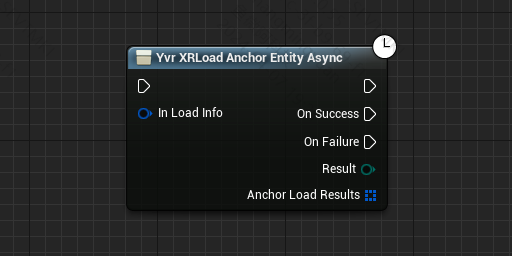
Generate Spatial Anchor Actor based on Load Results.
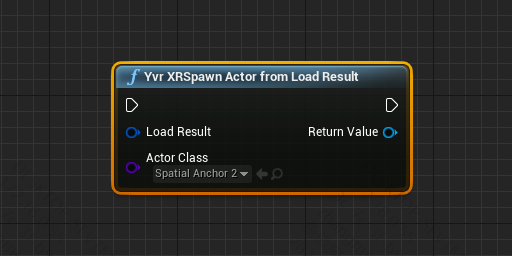
Gets the component held by the current anchor:
Get component label

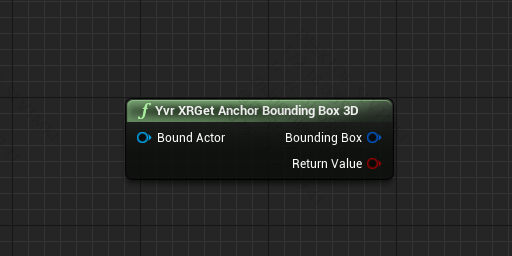
Get BoundingBox3D
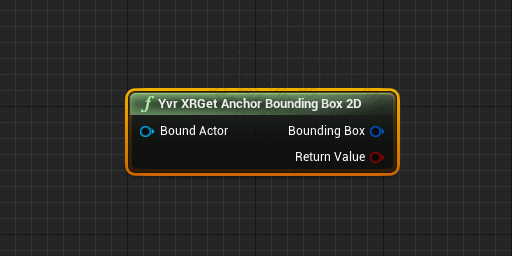
Get BoundingBox2D