In-App Purchase
Important
Before using any platform features, developers have to initialize Platform SDK first. Refer to Platform for more information.
YVR Payment is a current payment system based on YVR account system. The payment settlement is done by YVR's game currency (Y coin). Users will need to enter YVR user centre to top-up their account.
Add Product
Login to Management Center.
Click on the app that you have created, select My apps > Platform Services > In-App Purchases. Click Create to add new product.
Fill the product information:
Name: Product name that is displayed to the users.
Product ID: Unique ID of each product.
Product Attribute: Consumable or durable.
Price: Recommended or custom.
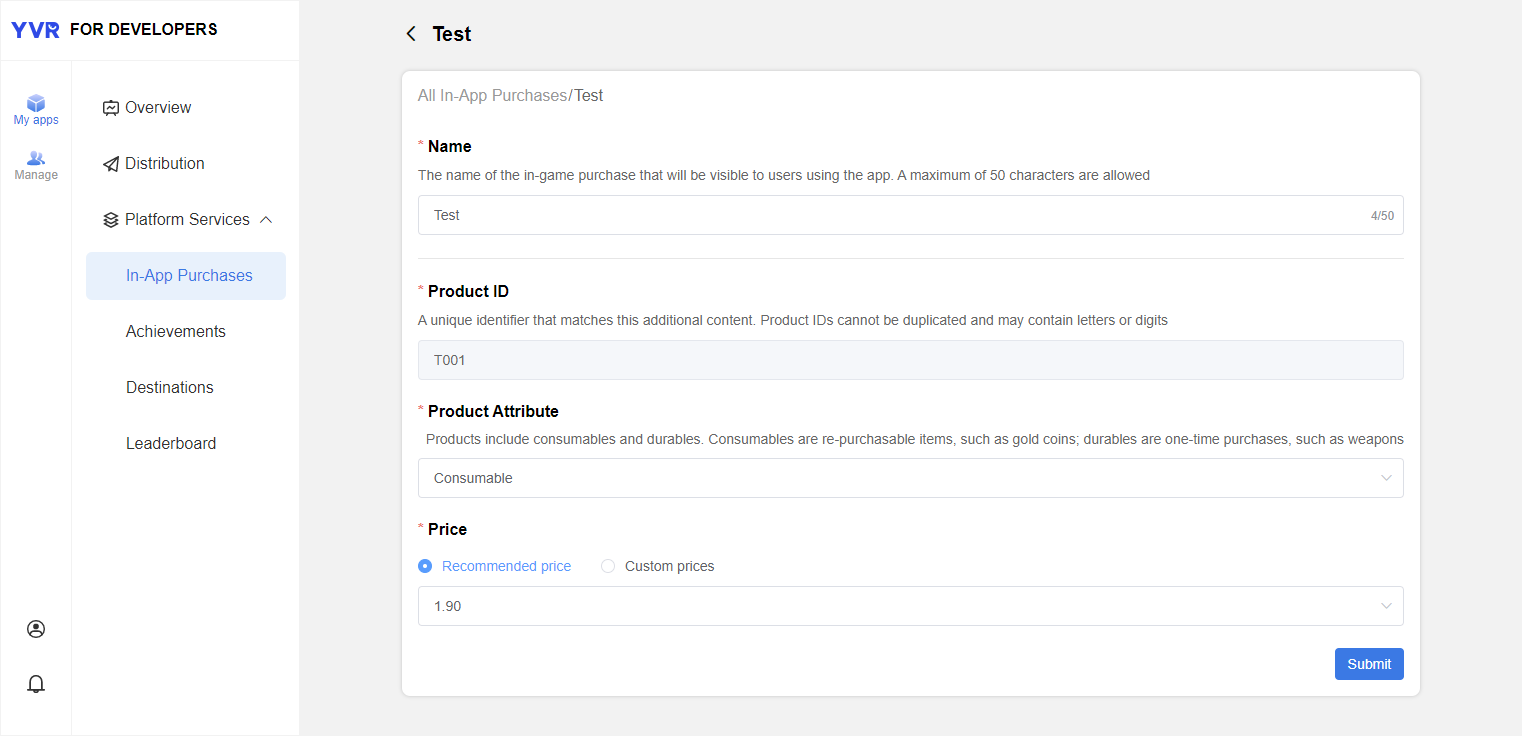
Click Submit.
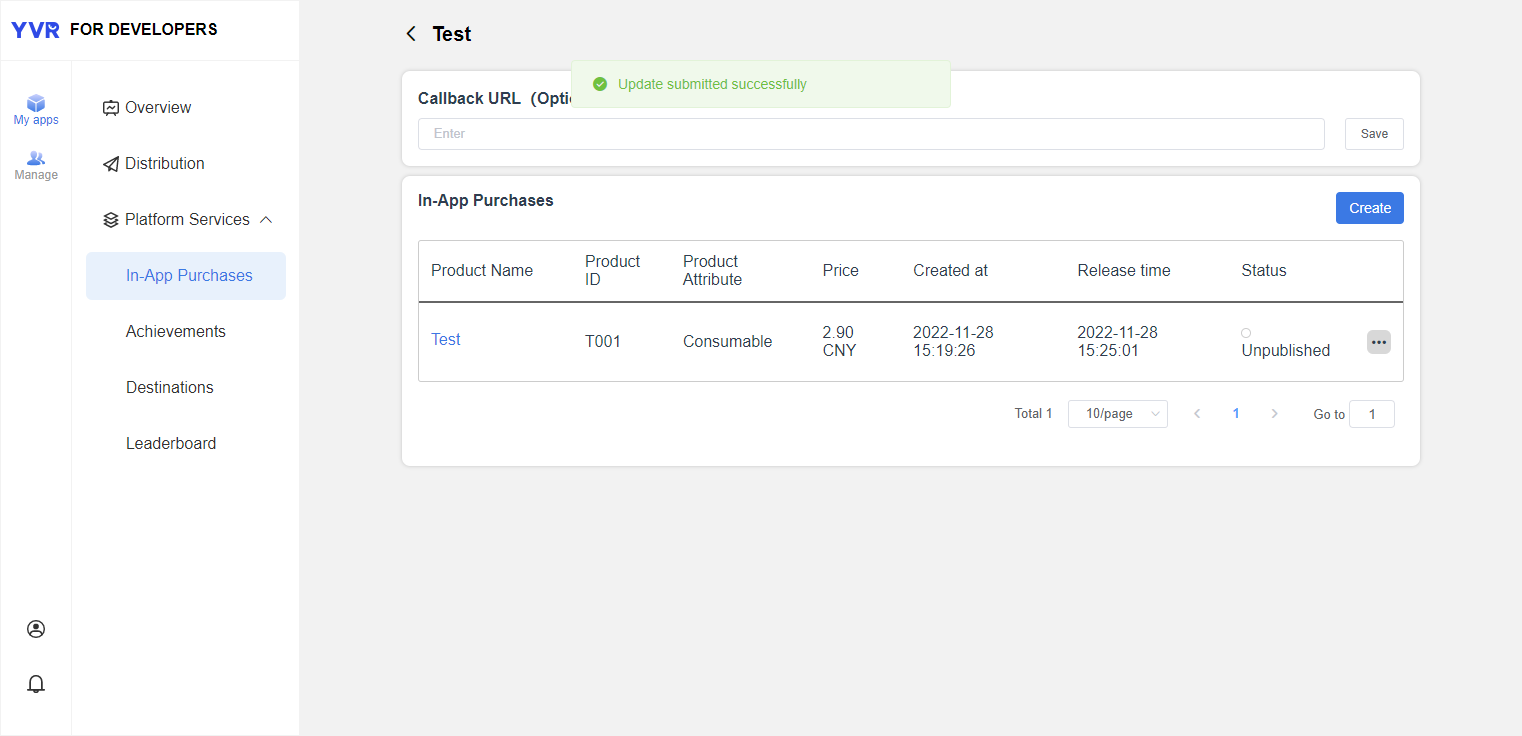
- Status: Unpublished / Published / Removed from sale
API Information
Login
Before proceeding to payment, check the user login status.
YVR.Platform.LoginPay.Initialize(<appID>);

if (LoginPay.IsYVRUserLogin)
    Debug.Log("User has logged in.");
else
    Debug.LogError("User has not logged in!");
Payment
YVR.Platform.PayResponse: Get the details of payment
Order
YVR.Platform.OrderListResponse: Get the order details, e.g. SKU, price, quantity and etc.